Choose your project
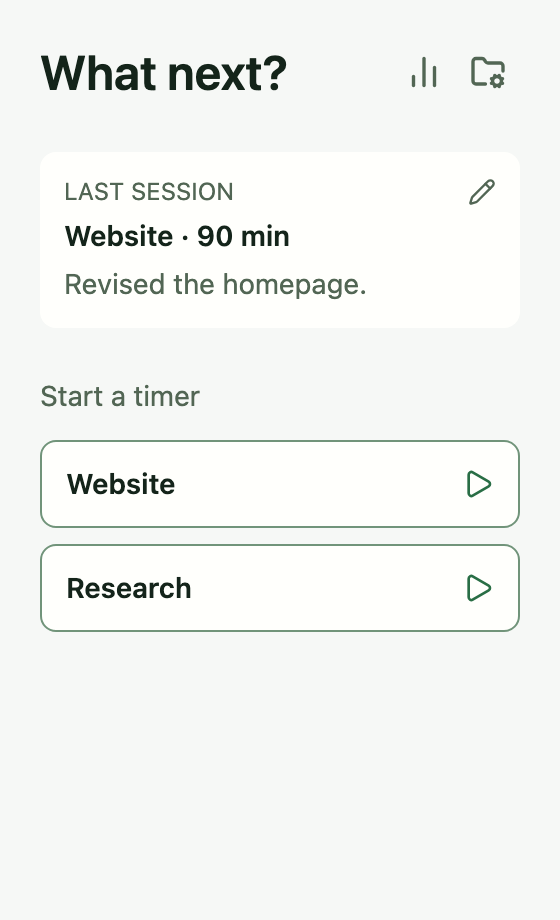
Start from Home. Your latest completed session stays in view.
 Tempo
Tempo
Your work. Your pace. Your Mac.
Choose a project and start the timer. Add a brief note when you finish, revisit your achievements and turn selected notes into a weekly or status update. Your record stays on your Mac, without an account.
€4.99 at launch · One-time purchase · No subscription
Preparing for macOS launch · Not yet available

Choose a project and start the timer.
Start, pause and finish. Notes are optional.
Choose achievements. Copy or save your update.
A straightforward workflow
For independent work: writing, designing, coding, researching. Keep a record as you work, then use it when you need to recall or report what you did.
Start from Home. Your latest completed session stays in view.
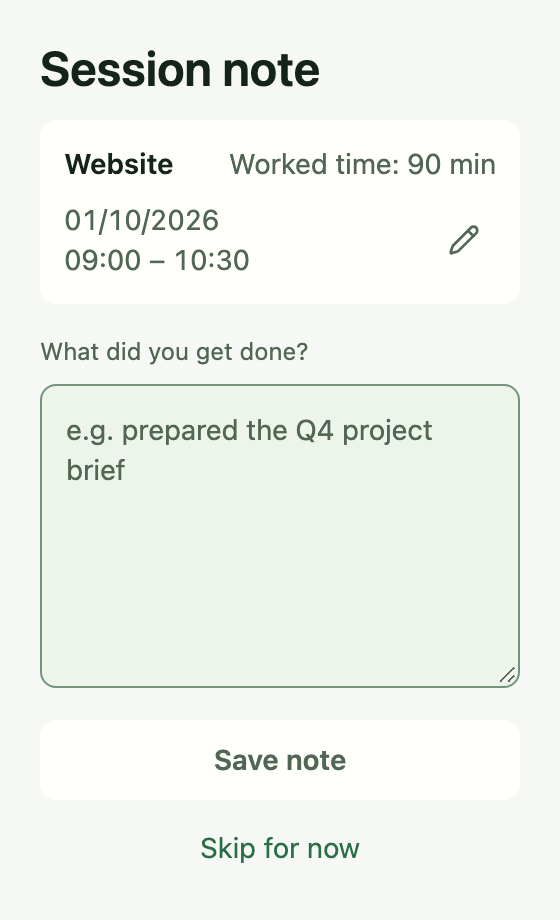
Start and stop the timer yourself. When you finish, note what you got done—or skip the note.
Browse earlier days, weeks, months or years. Read your session notes alongside the recorded time.
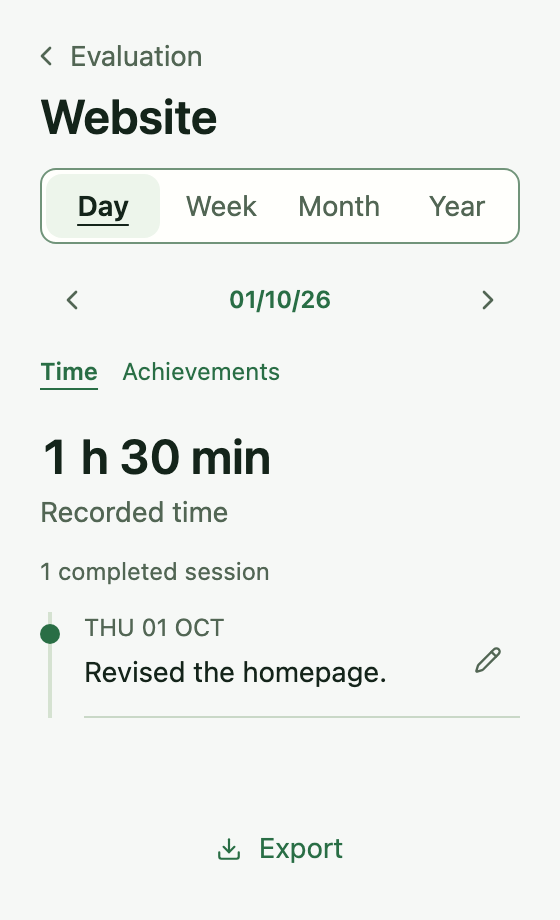
Screens from the current development build, with example projects.
When it’s time for a weekly or status update
Browse a day, week, month or year, including earlier periods. Switch from recorded time to achievements and read your notes grouped by project.
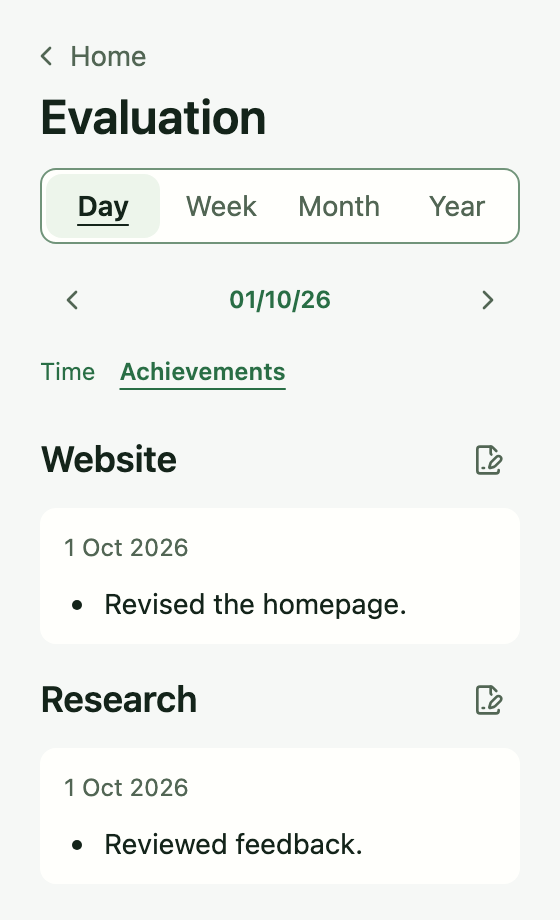
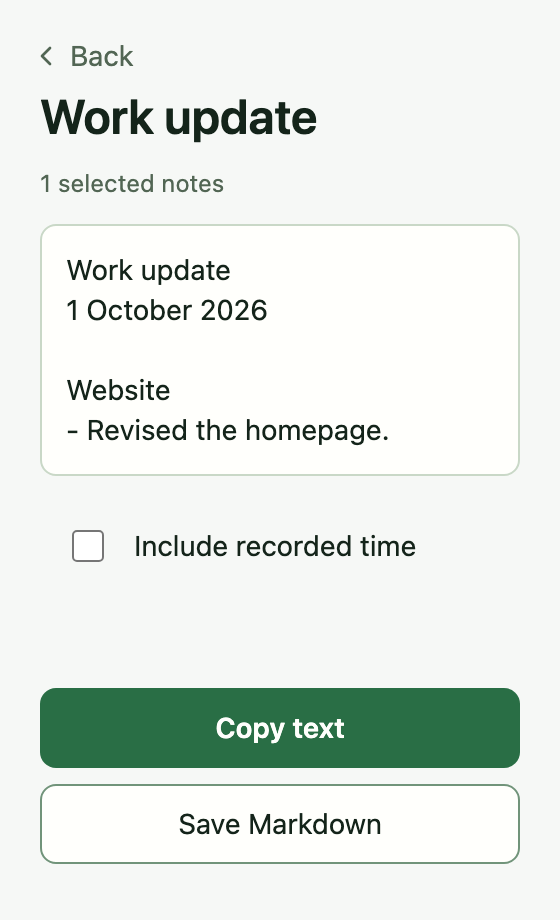
1 October 2026
One note selected from the two projects shown. Recorded time is off by default. Your original wording is preserved.
Download this Markdown updateFrom recorded time to a useful history
See completed time by project for a day, week, month or year, including earlier periods. Open a project to read the sessions and notes behind the total.
Create and restore local database backups separately from reports.
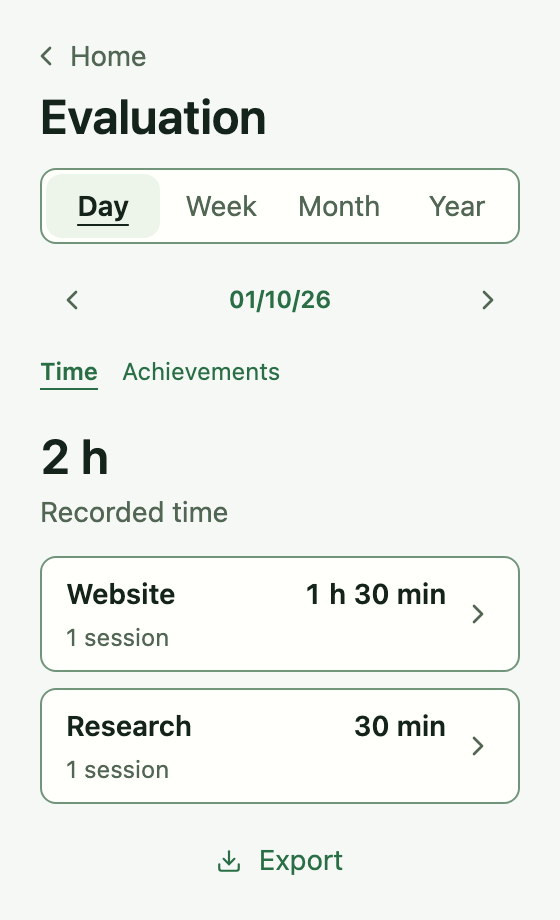
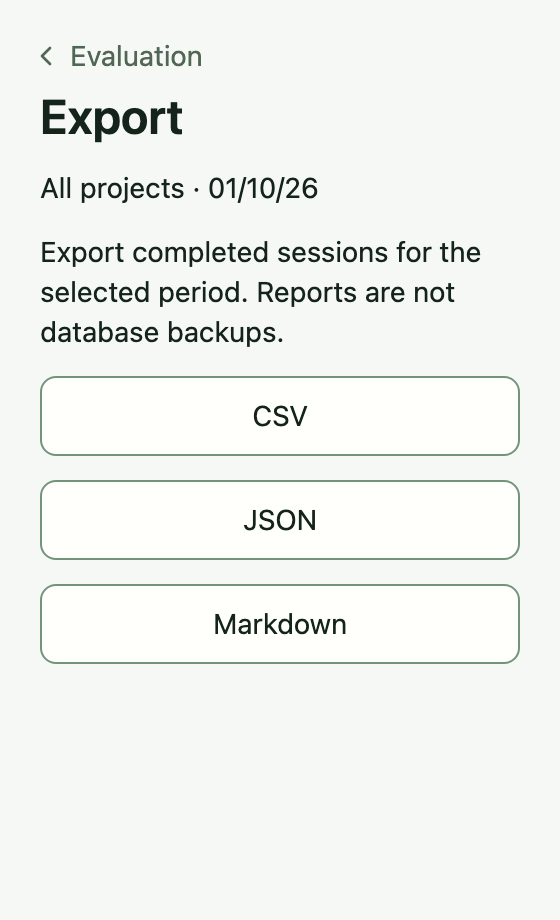
Period: 1 October 2026
Project: Website
Recorded time: 1 h 30 min · 1 completed session
Revised the homepage.
One project from the two shown above. Start–end times are local (UTC+02:00); each session belongs to its end date.
Download this Markdown recordWhen the day changes plans
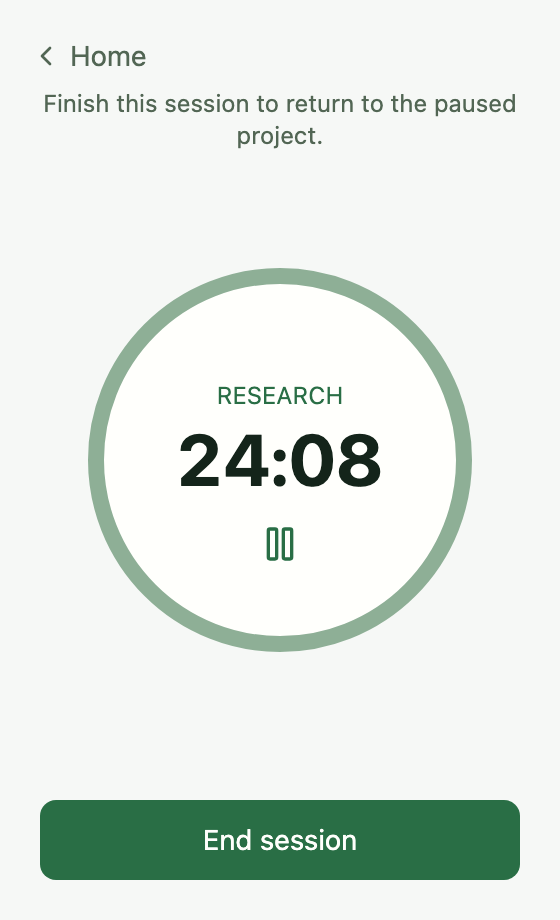
Pause your current session and start another project. Tempo records that interruption separately. When it ends, your original session returns paused, ready for you to resume.
Explore the work record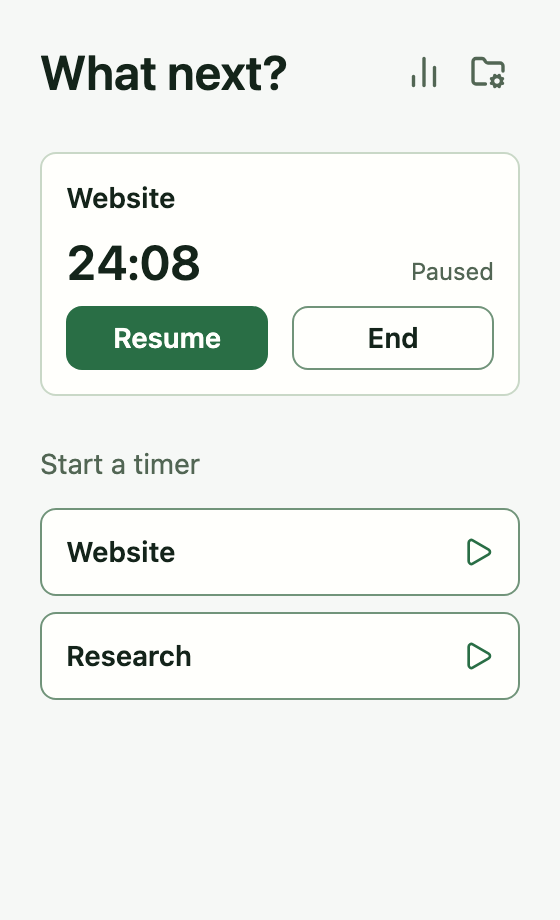
When a recorded entry needs correcting
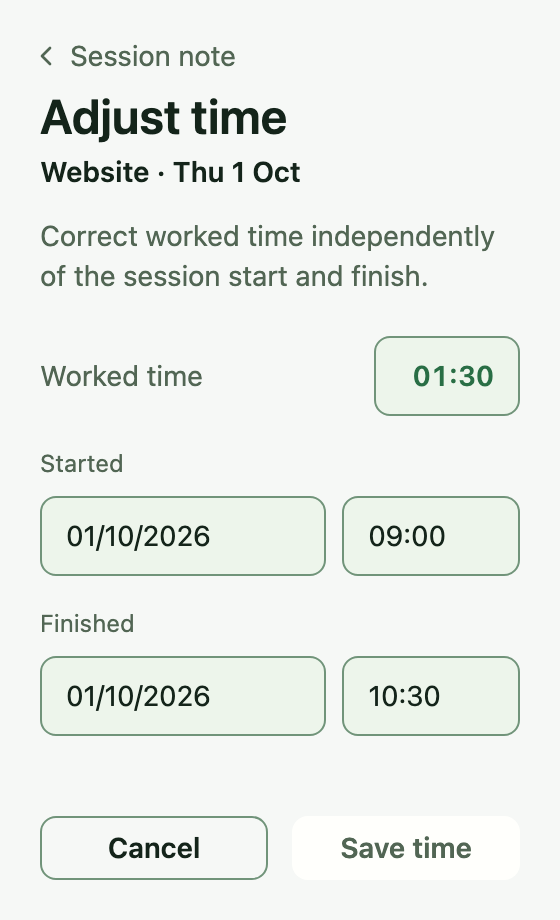
Forgot to stop the timer or spotted an incorrect entry? Correct the latest completed session’s worked duration, start and finish dates and times.
Worked duration can be adjusted independently of the start and finish timestamps. You can also edit notes on completed sessions.
Start, pause, resume and end. Returning to Home pauses the session; time spent paused is excluded.
Rename projects, archive finished work and restore it later. Archived projects retain their recorded sessions.
A compact app designed for responsive everyday use. Control sessions from the menu bar. Use application-menu shortcuts. Tempo follows your system’s light or dark appearance.
A personal work record
Tempo stores projects, sessions and notes locally. Core tracking and review work offline, without an account or a cloud service. You choose when to export a report or create a backup.
Choose the right tool for your work
For independent work on one Mac, especially when you need to recall achievements or prepare a weekly or status update. You run the timer yourself; notes are optional.
Tempo
Track a project, note what you got done and revisit your achievements. Select the notes you want in an update, then copy or save it. No account to create.
Automatic capture
If you want apps and websites recorded automatically, explore Timing, Timemator or ActivityWatch.
Connected tracking
For sync, team timesheets or billing, explore Toggl Track and Clockify. Timery offers Toggl-based tracking on Apple devices and requires a Toggl account.
Not yet. Desktop tests still need to be completed and Mac App Store submission is being prepared. This page will link to the listing when it is live. There is no confirmed release date.
No. Tempo keeps your record locally on your Mac. Create a project and start the timer. Notes are optional, and core tracking and review work offline.
No. You start and stop sessions yourself. Tempo does not record which apps or websites you use. It currently has no idle detection, reminders or Pomodoro countdown.
Tempo currently keeps a personal record on one computer. Cloud sync, shared workspaces, invoicing and mobile apps are not part of the current product.
Browse current and earlier days, weeks, months or years, with project totals, session lists and achievement notes. Custom date ranges are not currently available. You can edit notes on completed sessions and correct the worked duration, start and finish dates and times of the latest completed session. Worked duration can be adjusted independently of the timestamps.
Open Achievements for the period you want and choose Create update. Select individual notes or all notes in a project, then preview the result. Tempo groups your selected notes by project and keeps your wording. Recorded time is optional and off by default. Copy the text or save Markdown; Tempo does not send or publish it. Sessions without notes still appear in Time and the full-session export.
Toggl Track and Clockify offer capable free plans. WorkingHours also offers free basic tracking without an account, and Tim is a local Mac tracker. Tempo is an option if its session-note, achievement-review and selected-update workflow fits your work. No account and no subscription are benefits shared with other tools.
Tempo will cost €4.99 at launch as a one-time purchase. No subscription.
Tempo uses German with a German system language and English otherwise. It follows your system appearance automatically.
Help shape Tempo before launch
Tell us what you need from a personal time tracker. You can also ask to hear when Tempo launches or express interest in early testing.
macOS first · In preparation
Testing and release preparation are underway. Mac App Store submission is the next distribution step. Tempo is not yet available to download.
Request a launch updateDesktop checks and release validation still need to be completed.
The Mac App Store submission still needs to be initiated.
The download link will appear here once the listing is approved and live.
Windows and Linux are planned for later. Release dates are still to be confirmed.